
Automatic subtitles for your webinar recordings
Upload the recording and get accurate captions back in minutes, styled to match your brand. Publish subtitled replays to your on-demand library, or caption files wherever the session lives.


The easiest way to subtitle a webinar
A webinar happens live exactly once — then the recording spends years on your on-demand page, in follow-up emails and in sales decks. Randi turns every replay into a subtitled video where you edit both the words and the caption style, so the session keeps working with the sound on or off.q3-product-webinar.mp4Norsk
Første steg er å kartlegge hva publikummet ditt trenger.
70+ languagesHigh-quality translationSpeakers kept apartTeam workspacesOn-brand captionsSRT, VTT or video exportAuto-save to your cloud
Subtitle your webinars faster with our integrations
Google Drive
Dropbox
OneDrive
SharePoint
Box
Amazon S3
Google Cloud Storage
Slack
Webhooks
Google Drive
Dropbox
OneDrive
SharePoint
Box
Amazon S3
Google Cloud Storage
Slack
Webhooks
This is how you do it
Step 1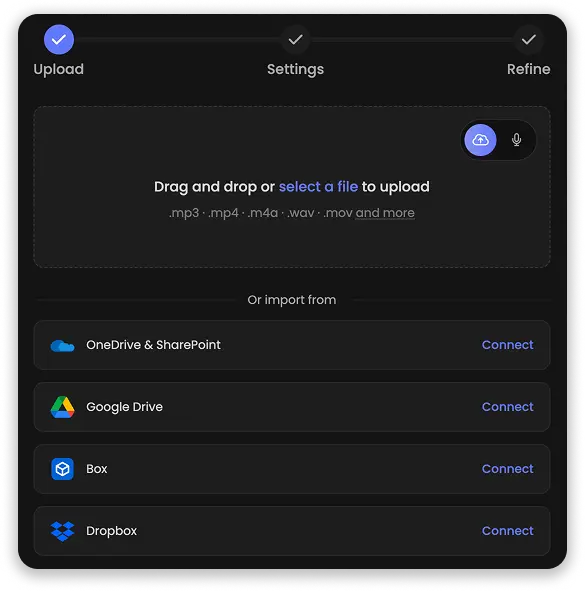
Upload the recording
Drag in the file from your webinar platform, or import it straight from your cloud storage. Randi transcribes the session and drafts the captions automatically.Step 2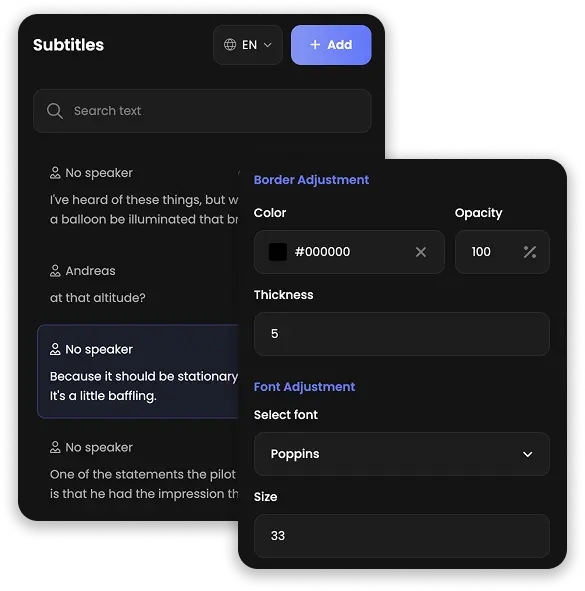
Style the captions
Tidy up the wording, keep the speakers labeled, and pick fonts, colors and placement. Every change previews live, so you see exactly what viewers get.Step 3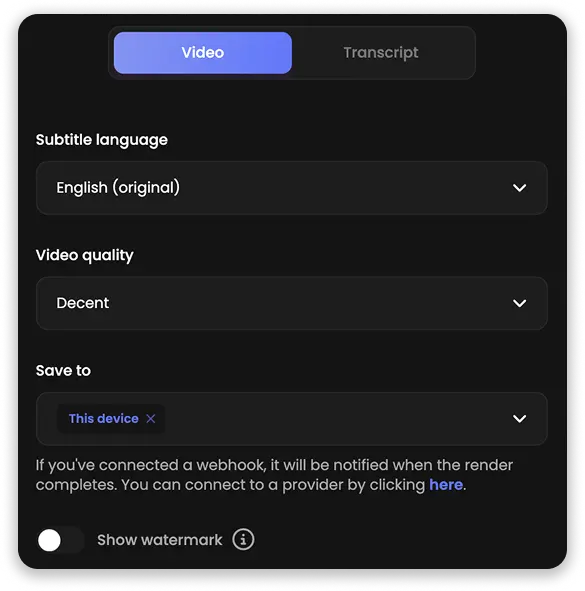
Export and share
Download SRT or VTT files for your on-demand platform, or export a finished video with captions burned in — ready for the replay page and the follow-up email.Two powerful ways to edit webinar captions
Fix a caption in the video view while the session plays, or clean up the whole hour as text. Every recording gets both: a visual editor with full control over styling, and a text view built for trimming the filler out of live talks at reading speed.
One session, weeks of follow-up content
Summaries, chapter lists and Q&A sections can be generated straight from the session transcript with Randi's AI Content tools — the follow-up email, the highlight reel notes and the on-demand page description, all from a single recording.Captions that follow your brand guidelines
Pick the fonts, colors, size and position your brand book asks for, and preview every change live on the video before you commit. Export sessions with the style burned permanently in, or as clean caption files for your on-demand platform.Creative video editorCustomize caption styles and enrich your replays with images, audio tracks, GIFs and emojis — all in an editor made for marketers, not video pros.
TranslationTranslate webinar captions into 70+ languages and let one session speak to prospects in every market — without ever hosting it twice.
AI content generationTurn every session into summaries, Q&As, chapters and highlights — follow-up material generated straight from the captions, ready the same day.
IntegrationsImport recordings straight from Google Drive, Dropbox or OneDrive, and get every finished export dropped right back into your cloud storage.
Flexible editing viewsSwitch between the visual video timeline and a focused text view, and edit an hour-long session like a document whenever that is faster.
Security firstOur language models run on closed servers inside the EU — your sessions are never shared with third parties and never used for model training.